When a Video Wall Makes Sense for Your Office
Use cases, serviceability, content strategy, and viewing-distance considerations for large-format office displays.
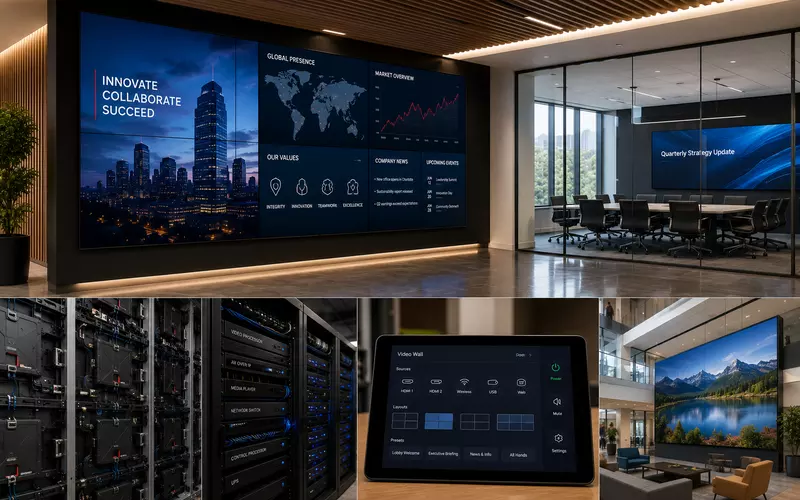
A video wall can become a powerful communication surface in a lobby, briefing center, operations room, or experience space—but it is not simply a bigger television.
Successful systems coordinate viewing distance, architecture, ambient light, content, maintenance access, networking, power, processing, and long-term support. Choosing the wrong technology—or using a wall where one commercial display would work better—adds cost without improving the experience.
What Is a Video Wall?
A video wall combines multiple displays or LED modules into one visual surface. It may present a single large image, several independent content windows, digital signage, operational dashboards, presentations, collaboration content, or continuous monitoring feeds.
Dedicated processors manage inputs, layouts, resolutions, schedules, and multi-window behavior.
When Does a Video Wall Make Sense?
Many conference rooms are better served by one large commercial display. A video wall becomes valuable when the organization needs an unusually large viewing surface, visibility across long distances, multiple simultaneous sources, continuous operation, dynamic signage, mission-critical monitoring, or strong architectural impact.
Display technology should solve a communication, collaboration, or operational requirement—not exist only as a visual feature.
Common Business Applications
Typical environments include corporate lobbies, executive briefing centers, command and security centers, network operations centers, manufacturing facilities, universities, healthcare, transportation, retail, hospitality, trading floors, and customer experience centers.
Corporate lobbies
Lobby walls can deliver brand messaging, corporate video, milestones, event information, art, visitor welcomes, news, and product showcases without overwhelming the architecture.
Executive and collaboration spaces
Briefing centers may combine presentations, dashboards, conferencing, drawings, reports, and product demonstrations. Collaboration rooms can support several presenters, remote participants, engineering reviews, and wireless sharing.
Operations and monitoring
Security, network, facilities, transportation, industrial, and emergency-response teams often prioritize continuous visibility, redundancy, and reliability over aesthetics.
Choosing the Display Technology
Direct View LED
Modular LED creates a seamless surface with high brightness, flexible sizing, long operating life, and strong visual impact. Design must address pixel pitch, calibration, front service, power, cooling, and higher initial investment.
LCD video walls
Arrays of commercial displays offer mature technology, high resolution, accurate color, and lower initial cost. Their visible seams, panel alignment, access requirements, and long-term replacement matching must be considered.
Projection
Projection can still suit auditoriums, temporary uses, or specialized presentation spaces, but ambient light often limits its effectiveness in contemporary offices.
Viewing Distance, Size, and Resolution
A wall that looks sharp across a lobby may reveal pixels up close. Planning should map seated viewers, standing positions, walk-by traffic, audience size, screen height, and viewing angles. For LED, pixel pitch directly affects the minimum comfortable viewing distance.
Dimensions should fit ceiling height, architecture, furniture, and sightlines. Larger is not automatically better. Content resolution must also match the canvas; close viewing and fine text increase resolution and processing requirements.
Content Strategy and Multi-Window Workflows
Define what will appear, who creates it, how often it changes, who approves it, and what result it should achieve. Without content ownership, an impressive wall quickly becomes an expensive static image.
Professional processors can arrange television, dashboards, conferencing, building systems, cameras, presentations, and social feeds at the same time. Layout presets should support real workflows rather than demonstrate technical complexity.
Serviceability and Equipment Location
Maintenance planning must answer how panels or modules will be replaced, whether technicians have front or rear access, whether adjacent units must be removed, and how spare components will be stored. These decisions belong in architectural planning, not after installation.
Supporting racks may contain video processors, AV-over-IP encoders, managed switches, control processors, players, UPS systems, and audio equipment. Centralized, accessible equipment rooms improve serviceability and reliability.
Cabling, Networking, Power, and Cooling
Projects may require fiber, Ethernet, HDMI transport, AV-over-IP, control wiring, power distribution, and accessible conduit. Managed switches, VLANs, QoS, redundancy, and monitoring often support distribution and diagnostics.
Large walls require coordinated dedicated circuits, surge protection, UPS capacity, rack ventilation, display cooling, and emergency shutdown procedures. Thermal management is especially important in enclosed architectural installations.
Control, Content Management, and Accessibility
Operators should have simple controls for sources, layout presets, brightness, scheduling, content launch, and power. A content management system can add remote publishing, user permissions, approval workflows, emergency messaging, analytics, asset libraries, and scheduling.
Viewing height, text size, contrast, legibility, public access, and applicable accessibility requirements should shape the content and mounting plan. Effective communication depends on more than screen area.
Future Expansion, Commissioning, and Documentation
Plan spare processor capacity, network ports, rack space, conduit, power, and modular display expansion. Scalable infrastructure extends useful life as content and technology evolve.
Commissioning should verify color, brightness, uniformity, processor layouts, playback, networking, controls, redundancy, and failover. Final documentation should capture equipment schedules, rack elevations, wiring, network topology, display geometry, processor configurations, CMS access, maintenance procedures, and spare inventory.
Common Video-Wall Mistakes
- Using a wall where one display would suffice
- Ignoring viewing distance
- Selecting the wrong LED pixel pitch
- No content strategy or owner
- Poor maintenance access
- Inadequate power or cooling
- Weak network design
- Undersized processors
- Missing documentation
- No expansion plan
A professional commercial AV integration partner coordinates technology selection, structural mounting, racks, networking, programming, content systems, testing, documentation, and ongoing support around the organization’s actual goals.
Frequently Asked Questions
What is a video wall?
A video wall combines LCD panels or modular LED cabinets into one large visual surface or a multi-window presentation system.
When should a business choose a video wall instead of a large TV?
A video wall makes sense when one display cannot provide the required size, visibility, flexible layouts, architectural impact, or operating schedule.
What is Direct View LED?
Direct View LED uses modular LED cabinets to create a seamless, bright display in flexible dimensions, making it popular for premium commercial spaces.
Are LCD video walls still relevant?
Yes. Commercial LCD walls remain practical and cost-effective where ultra-thin panel seams are acceptable.
What is pixel pitch?
Pixel pitch is the distance between LED pixels. A smaller pitch creates a sharper image for closer viewing but generally increases cost.
How important is viewing distance?
It is one of the most important design inputs because it affects screen dimensions, resolution, text legibility, and LED pixel-pitch selection.
Can a video wall display multiple sources simultaneously?
Yes. Professional processors can arrange presentations, dashboards, cameras, live television, conferencing, and signage in configurable windows.
What infrastructure should be planned?
Typical requirements include dedicated power, structured cabling, networking, conduit, racks, ventilation, structural support, and service access.
Does a video wall require a content management system?
A CMS is highly valuable for signage or frequently updated content because it manages publishing, schedules, users, and remote updates.
How are video walls maintained?
Well-designed systems provide front or rear service access so technicians can repair individual modules without dismantling the entire display.
Can video walls integrate with conferencing systems?
Yes. They can support conferencing, wireless presentation, collaboration tools, and several simultaneous content sources.
How long do commercial video walls last?
Commercial displays are designed for long operating hours, but lifespan depends on technology, usage, cooling, maintenance, calibration, and manufacturer support.
Design the Wall Around Its Purpose
A video wall succeeds when it communicates clearly, serves a repeatable workflow, and remains maintainable for years. AVgator designs commercial display systems for Charlotte offices, lobbies, conference centers, briefing rooms, and mission-critical environments.
Schedule a video-wall consultation to evaluate display technology, infrastructure, content, control, and lifecycle needs.