Modern Conference Rooms: Everything You Need
A clear framework for displays, audio, cameras, room control, scheduling, and consistent hybrid meetings.
Quick answer
A modern conference room combines an appropriately sized display, camera coverage, intelligible audio, suitable acoustics and lighting, reliable networking, and simple controls. Define room size, meeting workflows, and conferencing-platform requirements before choosing equipment so local and remote participants can communicate clearly.
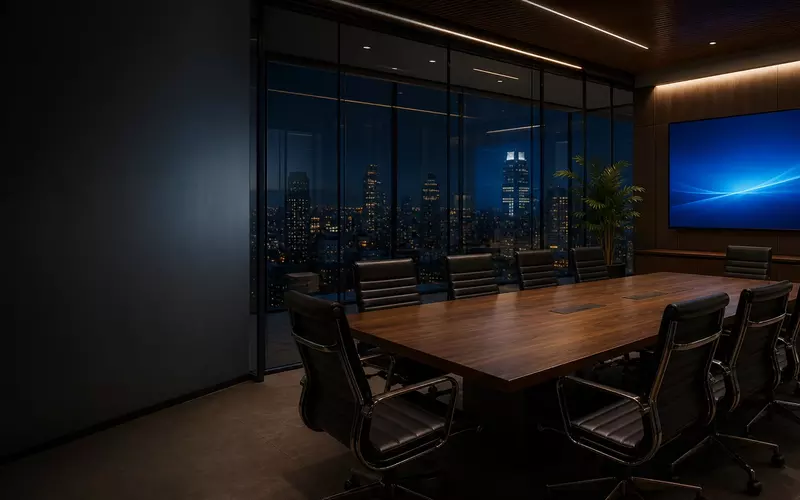
A modern conference room should make collaboration easier, not introduce another technical obstacle. Employees should be able to enter, start a meeting, share content, and communicate with remote participants without searching for adapters, changing inputs, or calling technical support.
Achieving that simplicity requires more than a large display and a video bar. Display size, camera placement, microphone coverage, room acoustics, lighting, network infrastructure, control interfaces, and platform compatibility influence every meeting. A successful room is designed as one communication system rather than a collection of products.
Begin with the Room's Purpose
Define the room's primary uses before selecting equipment: internal meetings, hybrid conferences, client presentations, training, executive briefings, workshops, wireless sharing, or multi-office communication. A presentation room has different priorities from a space used for daily hybrid meetings.
Understanding the purpose establishes the requirements for displays, cameras, microphones, speakers, controls, and platform integration.
Match the Technology to the Room Size
Huddle rooms
Rooms for roughly two to six people typically need one display, a wide-angle camera, integrated microphones and speakers, straightforward content sharing, and minimal controls.
Small and medium conference rooms
Rooms for approximately six to twelve people may require a larger or dual display, wider microphone coverage, dedicated speakers, intelligent camera framing, a control panel, and scheduling integration.
Boardrooms and large meeting spaces
Larger or high-value rooms may need multiple displays and cameras, ceiling or tabletop microphone arrays, distributed speakers, digital signal processing, automated camera switching, lighting and shade integration, advanced control, and remote monitoring.
Standardization should make the user experience consistent while allowing the underlying hardware to match each room.
Selecting the Right Display
Display selection should account for room length, seating distance, text readability, resolution, viewing angles, ambient light, presentation content, and conferencing layouts. Participants at the back must be able to read spreadsheets, drawings, dashboards, and presentation text—not just see a video image.
Single or dual displays?
A single display is often sufficient in smaller rooms. Dual displays can keep remote participants visible while a presentation, whiteboard, or other content occupies the second screen. The benefit should justify the added wall space, cabling, cost, and configuration.
Content sharing
Wired HDMI or USB-C provides predictable performance; wireless presentation improves convenience. Many rooms should support both, tested with the operating systems and laptop models used by employees and visitors.
Camera Placement Determines Eye Contact
A camera mounted too high, too low, or too far from the display makes remote participants feel disconnected. It should sit as close as practical to eye level and to the visual content, with room depth, table shape, seats, field of view, and presenter movement considered.
Large rooms may benefit from pan-tilt-zoom cameras, intelligent tracking, or multiple angles. Automatic group framing, speaker tracking, presenter tracking, and virtual camera views can help, but excessive switching is distracting. Reflective walls and unusual seating also require careful commissioning.
Clear Audio Is More Important Than Video
Participants may tolerate an imperfect image, but not speech they cannot understand. Good audio delivers clear pickup from every seat, natural sound, consistent volume, minimal echo, low background noise, and stable feedback control.
Choosing microphones
- Integrated video-bar microphones suit small rooms with participants close to the display.
- Tabletop microphones offer predictable pickup around a fixed conference table.
- Ceiling microphone arrays preserve clean tables and support flexible seating.
- Gooseneck microphones suit formal boardrooms and spaces needing controlled access per seat.
Room dimensions, ceiling height, seating, acoustics, aesthetics, and meeting style determine the best approach. The design must capture speech without unnecessarily amplifying HVAC noise or reflected sound.
Speakers and acoustic treatment
Display speakers are rarely sufficient beyond a small room. Dedicated and, where needed, distributed loudspeakers provide even coverage and better intelligibility. Sound should appear to come naturally from the remote participants or displayed content.
Glass walls, concrete floors, exposed ceilings, hard tables, and mechanical noise create reverberation that microphones cannot fully correct. Wall panels, treated ceilings, carpet, upholstered furniture, shades, HVAC mitigation, and better door seals can improve speech while complementing the interior design.
Lighting Is Part of the Video System
A room can look attractive in person and perform poorly on camera. Backlighting, direct sun, shadows, and harsh overhead fixtures make faces difficult to see. Fixture placement, color temperature, dimming, window orientation, shade control, exposure, and display reflections should be coordinated.
Integrated scenes—Video Conference, Presentation, Discussion, Training, and Cleaning—create consistent conditions with one command.
Choose a Conferencing Platform Strategy
Organizations may standardize on Microsoft Teams, Zoom, Google Meet, Webex, or another service. A room can use a native system for one platform or a bring-your-own-device workflow.
Native room systems
Dedicated systems provide one-touch meeting launch, calendar integration, centralized management, familiar controls, and a consistent experience.
Bring your own device
BYOD rooms let users connect laptops to the room's camera, microphones, speakers, and display. They add platform flexibility but can introduce adapters, drivers, cable confusion, inconsistent audio settings, and longer startup times. A hybrid design can support a primary native platform plus guest devices.
Room Control Should Reduce Complexity
Users should not need separate remotes for displays, cameras, audio, inputs, lighting, shades, climate, or divisible-room functions. A centralized interface can present clear actions such as Start Meeting, Join Scheduled Meeting, Present Laptop, Share Wirelessly, Adjust Camera, Control Volume, and End Meeting.
Calendar integration can show scheduled meetings directly on the controller, eliminating meeting IDs, email searches, input selection, and audio setup. Scheduling panels outside the room can display availability, upcoming reservations, capacity, and equipment; occupancy data can help identify reserved rooms that are not actually used.
Network, USB, and Equipment Infrastructure
Modern rooms rely on the network for conferencing, presentation, device management, scheduling, updates, monitoring, control, and voice services. Permanent equipment should use wired Ethernet with appropriate switching, Power over Ethernet, segmentation, quality of service, secure management, resilience where required, and clear documentation.
USB deserves equal planning. Cameras, microphones, controllers, and laptop connections have strict distance limits. Long tables and remote racks may require active or fiber USB extension, USB-C signal management, dedicated pathways, and accessible service points. A cable that works on a bench may not work reliably over an installed route.
Equipment behind displays, in furniture, credenzas, wall racks, or central rooms needs ventilation, electrical power, network connectivity, cable management, service access, and expansion space.
Standardization, Monitoring, and Long-Term Support
Organizations with multiple rooms benefit from similar control layouts, meeting-start workflows, cable types, platform behavior, centralized monitoring, and support procedures. Hardware may vary while the experience remains familiar.
Remote monitoring can identify offline devices, network failures, disconnected peripherals, firmware issues, display status, camera or microphone errors, and abnormal temperature before an important meeting. Maintenance should cover updates, backups, testing, cables, batteries, compatibility, cleaning, and ventilation.
Accessibility, security, and privacy
Design should address accessible controller placement, readable interfaces, contrast, captions, assisted listening, clear pathways, display heights, alternative input methods, and multiple ways to join.
Security planning should include network segmentation, device authentication, controlled remote access, firmware management, guest separation, camera and microphone privacy, session logout, and calendar-data protection. Organizations also need policies for recording and remote support.
Common Conference-Room Design Mistakes
- Selecting displays before calculating seating distances and content readability
- Using one microphone for a room that is too large or relying on display speakers
- Mounting cameras far above eye level
- Ignoring room acoustics, daylight, glare, and HVAC noise
- Supporting too many confusing meeting workflows
- Using consumer network equipment or failing to test employee laptops
- Installing equipment without cooling or service access
- Using inconsistent interfaces across rooms
- Skipping training, maintenance, and remote monitoring
Bring the AV integrator, architect, interior designer, IT team, furniture supplier, electrical contractor, and end users together during planning. Most room failures begin as coordination gaps before equipment is installed.
Designing for Future Changes
Platforms, cameras, USB standards, display resolutions, network requirements, AI features, workplace policies, and room usage will continue to change. Additional conduit, spare network connections, accessible pathways, flexible racks, replaceable endpoints, extra electrical capacity, and modular programming make upgrades less disruptive.
A professional integration partner can define requirements, review drawings, coordinate power and cabling, plan lighting and acoustics, configure platforms, program controls, commission the room, train users, and provide ongoing support. Explore AVgator's conference-room solutions and commercial AV services.
Frequently Asked Questions
What equipment does a modern conference room need?
Most rooms require a display, camera, microphones, speakers, conferencing device, content-sharing connection, control interface, and reliable network connection. Larger rooms may also need signal processing, multiple cameras, distributed speakers, lighting control, shades, and scheduling panels.
How large should a conference-room display be?
Display size should be based on the farthest viewing distance and the content shown. Rooms used for spreadsheets, drawings, and detailed documents may require larger displays than rooms used mainly for video calls.
Is one display enough for a conference room?
One display is often sufficient for small rooms. Dual displays help when users need to see remote attendees and shared content simultaneously, but the second screen should support a defined workflow.
Should a conference room use a television or a projector?
Professional flat-panel displays are usually preferred for small and medium rooms because they provide high brightness, clear text, and simple operation. Projectors remain useful for very large images and specialized spaces.
Where should the camera be mounted?
The camera should be placed near the displayed remote participants and as close to eye level as practical. The final position depends on display height, table layout, room depth, and camera field of view.
Are video bars suitable for every conference room?
No. They can be effective in huddle rooms and smaller conference rooms, while larger spaces may require separate cameras, microphone arrays, speakers, and signal processing.
Why do remote participants struggle to hear people in the room?
Common causes include insufficient microphone coverage, reflective acoustics, HVAC noise, incorrect audio processing, and participants sitting beyond the microphone's effective pickup area.
Are ceiling microphones better than tabletop microphones?
Neither is universally better. Ceiling microphones preserve table space and support flexible layouts; tabletop microphones offer predictable close-range pickup. Room acoustics, ceiling height, seating, and design priorities determine the right choice.
Can one conference room support both Microsoft Teams and Zoom?
Yes, but the workflow should be planned carefully. A room might use one native platform with guest-join support or allow laptop connections for other services.
What is a bring-your-own-device conference room?
A BYOD room lets users connect a laptop to the room's display, camera, microphones, and speakers. It provides platform flexibility but can introduce cable, driver, and configuration issues.
What is a native room system?
A native room system uses dedicated hardware and software for a conferencing platform, usually providing calendar integration, one-touch meeting launch, centralized management, and a consistent interface.
Should conference rooms have wired network connections?
Yes. Permanent conferencing equipment should generally use wired Ethernet for predictable performance, security, management, and reliability.
Why is acoustic treatment important?
Reflective surfaces cause reverberation that makes speech harder to understand. Acoustic treatment improves communication for in-room and remote participants.
Can conference-room lighting be automated?
Yes. Lighting and motorized shades can respond to meeting modes so video conferences, presentations, and discussions each receive appropriate conditions.
What is a room-scheduling panel?
A panel outside the room displays current availability and upcoming reservations. Some systems also let users reserve an open room directly.
How can conference rooms be monitored remotely?
Compatible devices can report operational status to a centralized management platform, helping support teams identify offline equipment, network failures, firmware issues, and disconnected peripherals.
How often should conference-room systems be serviced?
The interval depends on use and business importance. Frequently used rooms should be reviewed regularly for updates, device health, cable condition, platform compatibility, and interface consistency.
When should the AV integrator become involved?
During architectural planning. Early coordination improves display locations, sightlines, microphone coverage, lighting, acoustics, cabling, power, furniture integration, and ventilation.
Can an existing conference room be upgraded?
Yes. Many rooms improve significantly with newer conferencing equipment, corrected camera placement, better microphone coverage, acoustic treatment, upgraded cabling, and simpler controls.
How can a company make every conference room easier to use?
Create a consistent workflow. Controls, meeting-start procedures, cable connections, and instructions should feel similar even when the hardware changes with room size.
Build a Room People Trust
The best conference rooms are defined not by the number of devices installed, but by how consistently people communicate. Displays, cameras, microphones, acoustics, lighting, networks, controls, and scheduling must operate as one coordinated system.
AVgator designs and integrates conference-room systems for businesses, architects, developers, and workplace teams in Charlotte and beyond. The objective is straightforward: every room should deliver a clear, consistent, and dependable meeting experience. Schedule a project consultation.