Designing Reliable Outdoor Wi-Fi
Coverage, weather-rated equipment, roaming, and interference planning for pools, terraces, gardens, and large properties.
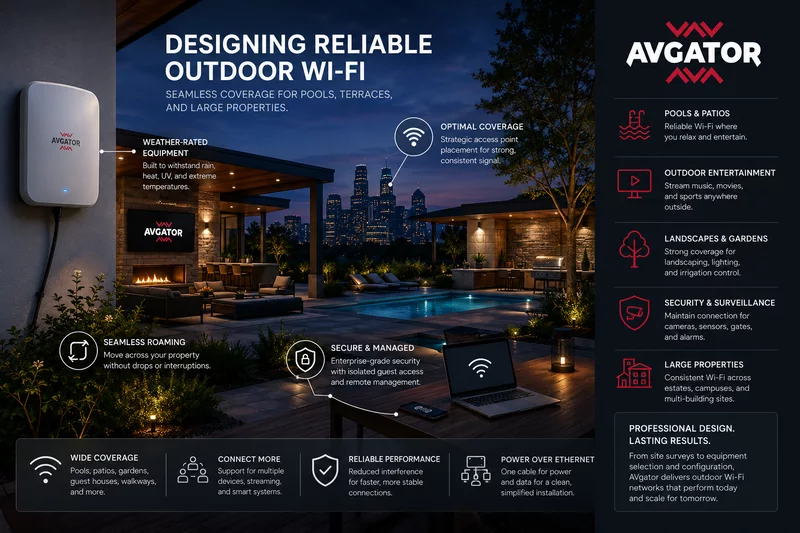
Reliable Wi-Fi now extends beyond the building. People expect connectivity at pools, patios, garden offices, hospitality spaces, campuses, event areas, and across large residential and commercial properties.
Extending indoor Wi-Fi outdoors is not as simple as placing an access point near a window. Distance, landscaping, construction, weather, interference, capacity, and roaming behavior all shape performance. Professional design starts with how each outdoor area is used.
Outdoor Wi-Fi Requires Different Planning
Interior walls contain radio signals and help form predictable cells. Outdoors, signals travel farther and encounter trees, pools, stone walls, metal structures, elevation changes, weather, and neighboring networks. The objective is to balance signal strength, capacity, and interference—not maximize transmit power.
Start With How the Property Is Used
Design begins with the places people gather and the applications they use. Pools and patios may need streaming and guest access; an outdoor office may need stable video calls; gates and property edges may need cameras and controls.
- Where do people gather most often?
- Are outdoor TVs, speakers, or workspaces installed?
- Which cameras, gates, sensors, and controls rely on the network?
- Where is continuous coverage required?
- How many simultaneous users and devices are expected?
Coverage Matters More Than Maximum Range
Wi-Fi is a two-way conversation. A powerful access point cannot compensate for a phone or sensor that lacks the power to transmit back over the same distance. Reliable design targets consistent signal, stable uploads, usable capacity, balanced cells, and predictable roaming.
Several properly located access points generally provide better capacity and roaming than one device attempting to cover the entire property.
Choose Weather-Rated Equipment
Outdoor access points must tolerate rain, UV, dust, humidity, heat, and freezing conditions. Enclosures, mounting hardware, cable glands, drip loops, grounding, surge protection, and connector weatherproofing are just as important as the access point itself.
Plan Access-Point Placement Carefully
Placement should follow building geometry, patios, kitchens, pools, landscaping, elevation, property boundaries, mounting surfaces, cable access, and serviceability. Mounting too high can weaken service near users; mounting too low can introduce obstructions or damage risk.
Roaming Should Feel Invisible
Users should move between indoor and outdoor access points without manually changing networks. Good roaming depends on coordinated SSIDs, security settings, cell overlap, transmit power, channel planning, controller configuration, and client behavior.
Design and validation should consider active video calls, music streaming, voice, security monitoring, and cloud applications—not simply whether a device can see the network name.
Minimize Wireless Interference
Neighboring networks, cameras, Bluetooth devices, wireless entertainment, smart-home products, and point-to-point links can compete for spectrum. RF assessment informs channel selection, channel width, band use, and transmit power so cells provide capacity without creating unnecessary contention.
Outdoor Wi-Fi Supports More Than Internet Access
Outdoor networks may connect cameras, gate controllers, irrigation, landscape lighting, pool automation, weather stations, touch panels, speakers, signage, and access-control devices. Infrastructure and segmentation should reflect the operational importance of each system.
Power over Ethernet Simplifies Deployment
Professional access points commonly use PoE for power and data over one cable. This enables flexible placement, central management, easier maintenance, and UPS backup. Cable length, pathway, grounding, surge protection, PoE budget, and environmental rating still require careful design.
Design for Growth and Security
Future-ready infrastructure includes spare pathways, network capacity, planned access-point locations, rack space, expandable managed switching, labeling, testing, and documentation. Security should include strong authentication, separate guest access, VLAN segmentation, firewalls, device monitoring, controlled remote management, and timely firmware maintenance.
Common Outdoor Wi-Fi Mistakes
- Depending on indoor access points for outdoor coverage
- Using consumer or indoor equipment outside
- Installing too few access points
- Ignoring roaming and client behavior
- Choosing poor mounting locations
- Overlooking interference and channel planning
- Failing to protect cabling and connectors
- Underestimating future device growth
How AVgator Helps
AVgator designs outdoor networks for luxury homes, commercial campuses, hospitality venues, offices, and mixed-use developments. Services can include site surveys, RF and coverage planning, weather-rated access points, structured cabling, PoE, network architecture, camera connectivity, landscape and pool-system networking, performance testing, documentation, and ongoing support.
Frequently Asked Questions
Why doesn't my indoor Wi-Fi reach my backyard?
Exterior walls, energy-efficient glass, construction materials, landscaping, and distance attenuate signals. Dedicated outdoor access points are usually needed for dependable coverage.
Can outdoor Wi-Fi access points stay outside year-round?
Professional outdoor access points are designed for environmental exposure when installed with the correct mounting, cable protection, grounding, and weatherproofing.
How many outdoor access points does a property need?
The answer depends on geometry, materials, landscaping, elevation, device density, capacity, and intended coverage. Multiple well-positioned access points usually outperform one high-powered device.
What is seamless Wi-Fi roaming?
Roaming lets client devices transition among access points while users move through a property, ideally without interrupting calls, streaming, or active applications.
Does outdoor Wi-Fi support security cameras?
Yes. Outdoor networks can support cameras, gates, access control, landscape controls, pool systems, sensors, and other connected technologies as well as user internet access.
Is Power over Ethernet used outdoors?
Yes. Professional outdoor access points commonly receive power and data through PoE, enabling centralized switching, management, and UPS protection.
Can outdoor Wi-Fi interfere with neighboring networks?
Yes. Channel planning, transmit-power tuning, access-point placement, and RF analysis help reduce interference for both the property and nearby networks.
When should outdoor Wi-Fi be planned?
Ideally during construction, renovation, or landscape design, before hardscape and planting make conduit, cabling, and mounting locations difficult to add.
Can an existing property be upgraded?
Yes. A site assessment can identify suitable cable routes, mounting positions, coverage gaps, interference, and configuration changes for a retrofit.
Why choose AVgator for outdoor Wi-Fi design?
AVgator combines site use, RF planning, weather-rated equipment, structured cabling, PoE, roaming, security, testing, documentation, and future capacity into one network design.
Professional Design Produces Lasting Results
Reliable outdoor Wi-Fi comes from coordinated coverage, capacity, roaming, weather protection, cabling, power, security, and testing. The result is a network that performs in real-world conditions and remains ready for future technology.
Explore AVgator's networking services or schedule a project consultation.