Why Wi-Fi Doesn't Work in Large Homes
The construction materials and network-design mistakes that create dead zones—and how professionally engineered Wi-Fi delivers reliable coverage throughout the property.
Quick answer
Large homes often have weak Wi-Fi because distance, construction materials, interference, access-point placement, and device density limit coverage. Faster internet alone does not fix those conditions. Plan access-point locations, wired backhaul, switching, and network configuration around the floor plan and verify coverage after installation.
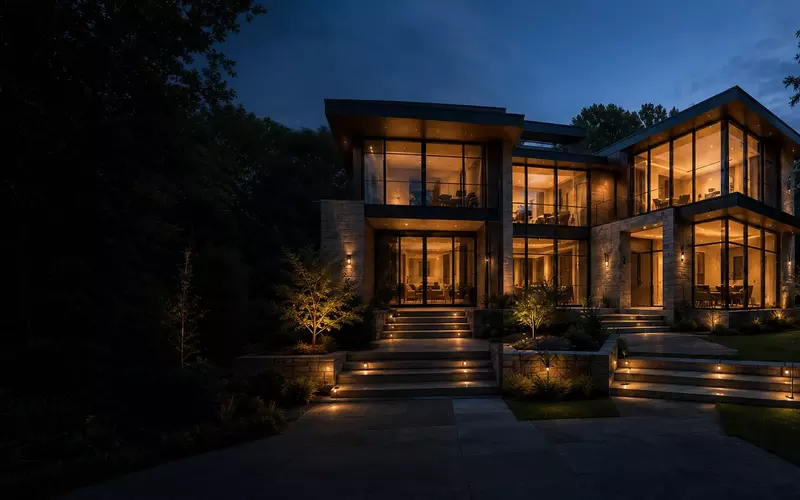
Fast internet service does not automatically guarantee fast Wi-Fi. Many homeowners upgrade to gigabit or multi-gigabit service expecting flawless wireless performance, only to experience buffering, dropped video calls, slow downloads, and unreliable smart-home devices in different parts of the house.
In most cases, the internet connection is not the problem—the wireless network design is. Large homes introduce challenges that standard consumer equipment was never designed to solve. Construction materials, floor plans, device density, outdoor spaces, and the growing number of connected systems all place significant demands on a network.
A professionally designed Wi-Fi system considers the home as a complete environment, providing consistent coverage, high performance, and room for future technologies.
Why Home Size Isn't the Only Challenge
Several factors influence wireless performance: building materials, floor-plan complexity, multiple stories, ceiling height, furniture placement, mechanical rooms, outdoor living spaces, and device density. A 2,500-square-foot home with concrete walls may perform worse than a 6,000-square-foot home with a properly engineered network.
Construction Materials Block Wireless Signals
Modern luxury homes often contain materials that significantly reduce wireless performance. Concrete, brick, stone fireplaces, steel framing, metal roofing, mirrors, Low-E insulated windows, and tile walls can all block or weaken signals.
Each obstruction between an access point and a user reduces usable signal. By the time Wi-Fi reaches distant bedrooms, garages, patios, or upper floors, performance may be dramatically reduced.
One Router Cannot Cover an Entire Home
Buying a more powerful router rarely solves a whole-home coverage problem because wireless communication works in both directions. Even if a router can transmit farther, phones, tablets, laptops, and smart-home devices still have limited transmission power.
The result can be an unreliable connection where the router can “see” the device, but the device cannot communicate effectively in return. Professional networks solve this with multiple access points placed throughout the home, not excessive transmit power.
Access Point Placement and Seamless Roaming
Simply adding more Wi-Fi equipment does not guarantee better performance. Access points should be positioned for the home layout, building materials, ceiling construction, expected device locations, outdoor coverage, and roaming behavior.
Common mistakes include placing access points inside closets, near mechanical equipment, behind televisions, inside metal cabinets, or in one corner of the house. Good placement creates intentional, overlapping coverage so devices can move from room to room without dropped calls, interrupted music, frozen cameras, or streaming failures.
Mesh Wi-Fi Isn't Always the Answer
Consumer mesh systems are easy to install and can work well in smaller homes. Larger properties often expose their limits. Wireless mesh nodes communicate with each other over Wi-Fi, and each wireless hop can reduce available bandwidth and increase latency.
Professionally designed systems typically use wired Ethernet connections between access points, allowing each one to operate at full performance.
Device Density Matters
A typical luxury residence may include smartphones, tablets, laptops, smart TVs, streaming devices, cameras, doorbells, lighting systems, motorized shades, voice assistants, game consoles, appliances, HVAC controls, and pool equipment. It is not unusual for a home to have well over 100 connected devices.
A properly designed wireless network distributes that load efficiently across multiple access points and gives critical systems a stable foundation. This is particularly important because lighting, surveillance, distributed audio, climate control, access control, and entertainment increasingly depend on reliable connectivity.
Reliable Wi-Fi Begins with Wired Infrastructure
Professional installations commonly include structured Ethernet cabling, a central equipment rack, managed network switches, Power over Ethernet (PoE), dedicated access point locations, fiber where appropriate, proper cable labeling, and expansion capacity.
Although users connect wirelessly, Wi-Fi performs best when built on wired connections. Early planning also avoids opening finished walls later. Learn more about AVgator's networking services and approach to dependable infrastructure.
Outdoor Wi-Fi Is Different
Walls, insulated glass, and exterior construction significantly weaken the signal from indoor equipment. Patios, pools, outdoor kitchens, guest houses, garages, and driveways often require dedicated, weather-rated access points rather than an attempt to stretch indoor coverage beyond its intended area.
Security Should Never Be an Afterthought
A residential network protects more than internet access. A professional design considers secure Wi-Fi authentication, a separate guest network, device segmentation, firewall configuration, firmware management, remote diagnostics, and secure remote access. Thoughtful security improves privacy and makes a complex network easier to operate and troubleshoot.
Common Wi-Fi Mistakes
- Relying on a single router or ISP-provided hardware for the entire property
- Placing equipment in closets, cabinets, corners, or near interference
- Using wireless backhaul where Ethernet is practical
- Ignoring construction materials and outdoor areas
- Mixing incompatible networking equipment
- Skipping cable management, labeling, and network documentation
- Failing to plan capacity for future devices and expansion
A strong icon on a phone does not prove that a network has usable capacity, low interference, good roaming, or a healthy path back to the internet. Professional design measures the complete connection.
Why Professional Wi-Fi Design Matters
Network design goes far beyond installing additional access points. Engineers evaluate floor plans, construction materials, device density, outdoor coverage, internet service, structured cabling, equipment placement, and future expansion.
The goal is consistent performance throughout the property—not simply stronger signal bars. A well-designed network supports entertainment, remote work, security, video conferencing, and home automation without constant troubleshooting.
Frequently Asked Questions
Why is my Wi-Fi slow even though I have gigabit internet?
Internet speed and Wi-Fi performance are different. Poor wireless coverage, interference, or network design can significantly reduce the speeds devices actually experience.
Does a larger house always need multiple Wi-Fi access points?
In most cases, yes. Large homes, multi-story layouts, and properties with thick walls usually require several strategically placed access points for consistent coverage and seamless roaming.
What's the difference between a router and an access point?
A router manages internet traffic and network security, while an access point provides wireless coverage. Professional networks typically use one router connected to multiple wired access points.
Is mesh Wi-Fi good enough for a luxury home?
Mesh systems can work well in smaller homes, but larger properties often benefit from access points connected by Ethernet. Wired backhaul provides greater speed, lower latency, and improved reliability.
Why do some rooms have excellent signal but poor performance?
Strong signal does not always mean a fast connection. Congestion, interference, overloaded equipment, or poor roaming can reduce performance even when signal strength appears high.
Do building materials affect Wi-Fi?
Yes. Concrete, brick, stone, steel, mirrors, and Low-E glass can significantly weaken wireless signals and should be considered during network planning.
Should access points be installed on ceilings?
Ceiling-mounted access points often provide even coverage because they reduce obstructions and allow signals to spread more uniformly.
Can Wi-Fi support smart-home systems?
Yes, when the network is properly designed. Lighting, surveillance, climate control, entertainment, and automation platforms all depend on reliable connectivity.
Is Ethernet still important if everything is wireless?
Absolutely. Professional Wi-Fi systems rely on wired Ethernet between networking equipment and access points to maximize performance and reliability.
How many devices can a modern home network support?
Many professionally designed residential networks comfortably support more than 100 connected devices, including phones, televisions, cameras, lighting, appliances, and automation equipment.
When should network planning begin during construction?
Ideally during the design phase, when cable routes, equipment locations, electrical coordination, and expansion capacity can be planned without opening finished walls later.
Can an existing home's Wi-Fi be improved without major remodeling?
Often, yes. Site surveys, optimized access point placement, selective cabling, and upgraded equipment can significantly improve many existing homes.
Planning Reliable Wi-Fi for the Entire Property
Reliable Wi-Fi is not created by buying the most expensive router. It comes from thoughtful network design. Construction materials, access point placement, structured cabling, security, and future expansion all influence how well a wireless network performs.
Whether you are building a new residence or upgrading an existing property, planning the network as carefully as the electrical or HVAC systems supports dependable entertainment, remote work, smart-home automation, and everything in between.
AVgator designs and integrates professionally engineered residential and commercial networks throughout the Charlotte area. From structured cabling and enterprise-grade Wi-Fi to network security, automation infrastructure, and ongoing support, we build networks that are reliable today and ready for tomorrow's connected technologies. Schedule a project consultation.