What Is a Smart Home? The Complete 2026 Guide
What integrated home technology actually does, how the major systems fit together, and what to plan before construction or renovation begins.
Quick answer
A smart home coordinates lighting, climate, security, entertainment, and shades through a shared control and network architecture. Reliable automation depends on planned infrastructure, compatible equipment, clear everyday controls, and commissioning, rather than simply adding more app-controlled devices.
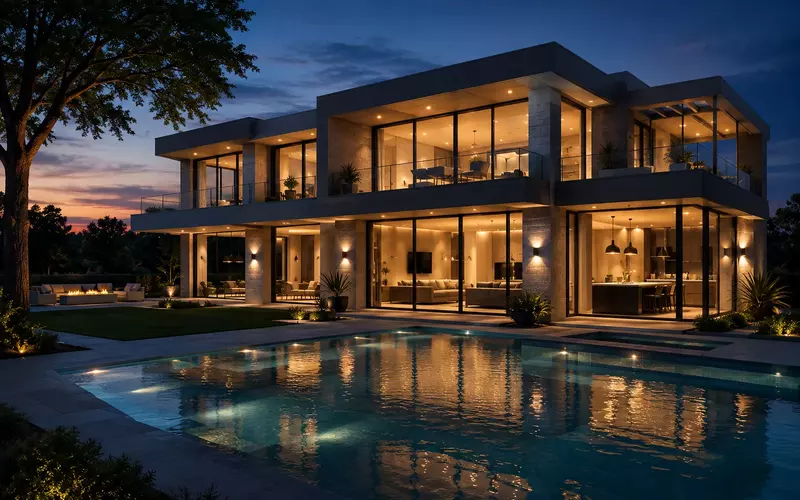
A smart home is a residence in which lighting, climate, security, entertainment, shades, and other building systems are connected through a dependable control and network architecture. The important word is not connected; it is coordinated. A collection of app-controlled products may be convenient, but it becomes a true home automation system only when the parts behave as one understandable environment.
That distinction matters in 2026. A decade ago, “smart home” often meant a thermostat, a voice assistant, and a few wireless bulbs. Today, professionally designed systems can respond to occupancy, daylight, time, weather, security state, and energy demand. A single command can prepare the house for evening, secure it for departure, or set a guest suite without requiring someone to visit six different apps.
The best technology is usually quiet. It supports daily routines, preserves the interior design, and gives people a familiar physical control when a phone is inconvenient. This guide explains how that result is achieved, what infrastructure it requires, and where thoughtful planning prevents expensive compromises.
What Makes a Home Smart?
A home becomes smart when its systems can share information and act through consistent controls. The specific products matter less than the architecture connecting them. Six capabilities define a mature system.
Automation
Automation turns a condition into an action. At sunset, exterior lighting can rise to a defined level. When the security system is armed in “away” mode, selected lights turn off, shades close, audio stops, and thermostats move to efficient setpoints. Good rules are predictable and easy to override; they should reduce decisions, not surprise the homeowner.
Connected devices and centralized control
Lighting panels, thermostats, amplifiers, cameras, locks, sensors, and shades may use different protocols. A central platform translates their states into one interface and one set of scenes. The homeowner sees “Goodnight,” not the technical chain of commands behind it. Wall keypads, touchscreens, handheld remotes, mobile apps, and voice can all present the same logic.
Remote access
Secure remote access lets an authorized user check the property, adjust climate, answer a gate call, or receive an alert while away. It should be protected by individual accounts, strong authentication, current software, and carefully limited permissions. Remote convenience should never require exposing equipment directly to the public internet.
AI and sensors
Machine learning can improve camera classification, voice recognition, energy forecasting, and equipment diagnostics. Sensors provide the context: occupancy, temperature, humidity, light level, door state, water, air quality, and power use. Useful intelligence begins with reliable data. AI is an enhancement, not a substitute for explicit control, sensible defaults, and resilient local operation.
A smart home should remain understandable when the internet is down, a phone is charging, or a guest enters the room. Core functions need intuitive local controls.
The Systems Inside a Smart Home
A complete system is modular. A homeowner may begin with lighting and networking, then add shades, audio, climate, or security. In new construction, however, every discipline should be considered early because they share pathways, power, equipment spaces, and user interfaces.
Smart lighting and motorized shades
Centralized lighting control replaces rows of switches with labeled keypads and scenes. It can coordinate dimming, color temperature, exterior lighting, and occupancy while reducing wall clutter. Motorized shades manage glare, privacy, solar heat, and fabric protection. When lighting and shades work together, a “Morning” scene can open selected shades and bring electric light to only the level the room needs.
Climate and environmental control
Integrated climate control coordinates HVAC zones, radiant heating, fireplaces, ceiling fans, humidity, and indoor air quality where the equipment supports it. Scheduling and occupancy setbacks can save energy, but aggressive automation often creates discomfort. The design should respect slow thermal response, equipment limits, humidity control, and the mechanical engineer’s sequence of operation.
Security, access, and surveillance
Security includes intrusion detection, monitored alarms, door and gate access, intercom, cameras, water-leak detection, and selected life-safety notifications. Integration can improve awareness, for example by displaying a gate camera when someone calls or illuminating an exit path during an alarm. Life-safety systems must retain their required independent operation and comply with applicable codes.
Audio, video, and home theaters
Distributed audio makes selected sources available in rooms and outdoor areas with consistent volume control. Video distribution can serve televisions while keeping source equipment centralized. A purpose-built home theater adds acoustic treatment, controlled lighting, correct sightlines, calibrated loudspeakers, and a dedicated user interface. These results depend more on room and system design than on a single premium component.
Networking
The network is the transport layer for nearly everything: mobile controls, streaming, cameras, voice, remote support, and many system processors. Large homes need planned access-point locations, managed switching, structured cabling, appropriate security segmentation, and documented equipment. More internet speed cannot fix poor coverage or interference inside the property.
Energy management
Energy tools can display consumption, schedule flexible loads, coordinate shades with solar gain, and respond to utility programs where supported. Solar, battery storage, generators, and EV charging introduce additional priorities. Integration should follow the electrical engineer’s requirements and keep essential loads, user preferences, and equipment health visible.
Benefits of Smart Home Automation
The practical value of automation comes from coordination. Each benefit should be tied to a real routine or operating requirement rather than an abstract list of features.
- Comfort: stable temperatures, controlled glare, appropriate light levels, and effortless music support the way each room is used.
- Convenience: scenes replace repeated sequences with one command while scheduling handles predictable events.
- Energy efficiency: occupancy, daylight, setbacks, and monitoring help reduce unnecessary lighting and conditioning without requiring constant attention.
- Security: integrated cameras, access, lighting, alarms, and leak sensors provide clearer information and faster response.
- Property value: well-documented infrastructure and maintainable systems can strengthen a premium home; undocumented proprietary complexity can do the opposite.
- Luxury: the genuine luxury is not more screens. It is an environment that responds consistently, preserves the architecture, and removes small daily frictions.
Accessibility and adaptable living
Automation can also make a home easier to use for children, older adults, visitors, and people with limited mobility or vision. A bedside “Goodnight” button can secure doors and switch off the property without a trip through the house. Pathway lighting can rise gently after dark. Large, clearly labeled keypad buttons can replace small switch banks, while voice control can provide a useful secondary input.
Accessibility should be designed with the person who will use it. Voice cannot be the only control because it may fail in a noisy room or exclude someone with a speech difference. A touchscreen cannot replace tactile controls everywhere. Scenes should behave consistently, important status should be visible, and essential functions should not depend on memorizing commands. When needs change, software-defined buttons and scenes can be updated without rebuilding the electrical system.
Wired vs. Wireless Smart Homes
Both approaches are useful. The correct choice depends on construction access, criticality, distance, bandwidth, interference, and future service needs. A professionally designed luxury smart home commonly uses wired infrastructure for its backbone and wireless technology where mobility or retrofit constraints make it appropriate.
| Consideration | Wired | Wireless |
|---|---|---|
| Reliability | Predictable physical path; low interference | Depends on spectrum, range, and building materials |
| Installation | Best during construction; more disruptive later | Faster for finished spaces and selective retrofits |
| Bandwidth | High and consistent for AV, cameras, and access points | Shared capacity; excellent when properly engineered |
| Power | Can deliver power and data through PoE | May require batteries or local electrical power |
| Expansion | Easy where spare cable and pathways exist | Flexible, but device count and coverage require planning |
Wireless products are not inherently unreliable. Modern Wi-Fi, Thread, Zigbee, Z-Wave, Bluetooth, and proprietary radio systems can perform very well in their intended roles. Problems arise when radio is treated as an unlimited resource or expected to overcome concrete, metal, stone, low-emissivity glass, and long distances without a coverage design.
For a large new home, cable is inexpensive before walls close and expensive afterward. Running Category cable, fiber where appropriate, speaker cable, shade power, security cable, and spare conduits creates options that no product selection can recover later. Core lighting, network, AV, and security links are typically the strongest candidates for wired design.
Designing for graceful failure
Reliability is not simply a product specification. It is how the whole home behaves when one dependency is missing. If internet service fails, local lighting, shades, climate adjustments, and physical controls should continue. If the automation processor is offline, critical lighting circuits should have an understood fallback. If a network switch needs replacement, labels and configuration backups should make recovery orderly.
Power design matters as well. Network and control equipment often benefits from an appropriately sized uninterruptible power supply, surge protection, and monitored shutdown behavior. A generator or battery system may support selected technology loads, but the project team should define priorities instead of assuming every rack component is essential. Remote monitoring can identify an offline device, high rack temperature, or lost internet connection before the homeowner discovers a broader symptom.
These measures do not promise that technology will never fail. They make failures smaller, more visible, and easier to correct. That is a more useful definition of resilience for a residence expected to operate for decades.
Why Network Infrastructure Matters
Consumer Wi-Fi equipment is designed for ordinary homes with a modest number of devices. A large residence can contain dozens of mobile clients, televisions, cameras, speakers, touchpanels, processors, appliances, and guest devices. It may also extend across several floors, outdoor living areas, detached buildings, and dense construction.
Enterprise Wi-Fi and structured cabling
An engineered wireless system uses multiple hardwired access points placed from a coverage plan. The design considers signal strength, channel reuse, roaming, interference, client density, and outdoor requirements. Structured cabling gives each access point, television, camera, desk, and control endpoint a predictable path back to the rack. Testing and labeling make that infrastructure maintainable.
Network racks, PoE, and resilience
A centralized rack organizes the router or firewall, switches, patch panels, controllers, AV equipment, surge protection, and uninterruptible power. Power over Ethernet (PoE) can provide data and managed power to access points, cameras, intercoms, and touchpanels. Proper ventilation, service clearances, cable management, backups, and documentation matter just as much as the hardware.
Segmentation can separate trusted controls, cameras, guests, and general devices while still allowing approved communication. The goal is not complexity for its own sake. It is to reduce failure domains, control access, and make troubleshooting systematic. Our networking services treat the network as building infrastructure rather than an accessory.
Choosing the Right Automation Platform
A platform should be selected after the team understands the property, users, integration requirements, construction stage, and long-term service expectations. Brand recognition alone is not a design method.
- KNX is an open international building-control standard with a distributed architecture. It is well suited to long-life lighting, shades, climate, and building functions in residences and commercial properties, particularly where multi-vendor flexibility matters.
- Crestron supports deeply customized residential and commercial control, AV distribution, rooms, and enterprise deployments. It fits complex projects that need broad integration and professional programming.
- Control4 provides an established residential ecosystem with approachable interfaces and a wide driver library. It often suits small-to-large homes seeking coordinated AV, lighting, climate, and security with dealer support.
- Lutron is particularly strong in lighting and shading, from focused solutions to large centralized systems. It is commonly integrated with a broader control platform.
- Q-SYS is a software-based audio, video, and control platform widely used in commercial environments, especially meeting, presentation, hospitality, and campus applications.
These products are not interchangeable, and they can sometimes be complementary. Compatibility depends on the exact hardware, protocol, driver, license, and software version. A design should document required outcomes, failure behavior, and ownership of each integration before equipment is ordered. AVgator’s integrated solutions are intended to make those decisions visible.
A practical platform evaluation
Begin with a written list of use cases. Which rooms need lighting scenes? Should shades track time, daylight, or only button presses? Which cameras must appear at a gate call? Who can manage guest access? Does the property require multiple residences, staff permissions, or integration with a commercial building system? The answers reveal more than a feature comparison.
Next, evaluate the service model. Some systems are intentionally dealer-programmed; others expose more homeowner configuration. Neither model is automatically better. A complex property may benefit from controlled software, tested updates, and a service team that maintains backups. A smaller system may prioritize easy owner changes. Ask who owns the programming files, how another qualified provider can service the installation, what licenses renew, and what happens when a device reaches end of life.
Finally, review interface quality in context. A polished demonstration is not the same as a usable home. Test common actions on the actual control types: a wall keypad in the dark, a handheld remote for television, a guest-room thermostat, and the mobile app away from home. The platform must also accommodate the household’s preferred amount of automation. Some people want proactive behavior; others want technology to wait quietly for a command.
Common Smart Home Mistakes
- Buying devices before designing the system. Individually appealing products may duplicate functions, require separate accounts, or fail to expose the controls an integrated scene needs.
- Ignoring the network. Adding more devices to weak Wi-Fi compounds the problem. Coverage, cabling, switching, security, and rack design should precede the endpoints.
- Using a DIY approach at professional scale. DIY products can be excellent for a room or apartment. Large homes add long distances, many users, dependencies, and service expectations that justify coordinated engineering.
- Planning after electrical and interior decisions. Late design leads to crowded switch banks, visible sensors, missing shade pockets, compromised speaker positions, and costly wall repairs.
- Underestimating future expansion. Spare rack space, power, switch capacity, conduits, and cable routes cost little during construction and protect future choices.
- Automating every possible action. An elaborate rule that nobody understands is not intelligent. Begin with clear scenes, visible feedback, and reliable manual control.
- Skipping commissioning and documentation. Every subsystem should be tested under normal and failure conditions. The final package should include drawings, labels, credentials, backups, warranties, and operating guidance.
Coordinate the integrator with the architect, interior designer, electrical contractor, HVAC team, security provider, and shade fabricator. This is when the project retains the most options at the lowest cost.
Privacy, Cybersecurity, and Responsible Access
A smart home processes information about occupancy, routines, video, audio, access events, and device status. Security therefore belongs in the system design, not in a checklist added after installation. Start by identifying which functions operate locally, which use a manufacturer’s cloud, what information leaves the property, and which accounts can reach the system remotely.
Every regular user should have an individual account where the platform permits it. Multi-factor authentication should protect remote and administrative access. Default passwords must be changed, shared installer accounts avoided, and permissions limited by role. Guest Wi-Fi, general personal devices, cameras, and building controls can be separated into appropriate network segments, with only the required traffic allowed between them.
Updates need a managed approach. Automatic updates are convenient, but an untested version can affect drivers or integrations. For larger systems, the integrator should maintain configuration backups, review important release notes, and establish a repeatable update process. Cameras and microphones deserve special attention: their placement, retention settings, remote users, and cloud features should reflect the owner’s privacy decisions and applicable law.
No connected system is risk-free. Responsible design reduces exposure, preserves local functions where practical, and gives the homeowner a clear record of accounts and services. It also includes an offboarding process when staff, vendors, or property ownership changes.
Commissioning, Handover, and Long-Term Care
Installation is not complete when the devices power on. Commissioning verifies that each cable, endpoint, control, scene, alert, and integration performs as designed. The team should test normal use and practical failure cases: an internet outage, equipment restart, low battery, unavailable source, and the recovery sequence after power returns. Audio and video systems need calibration; wireless networks need coverage and roaming validation; lighting scenes need an evening review in the finished interior.
The handover should include homeowner training and a documentation package. At minimum, retain current drawings, rack elevations, cable schedules, device inventories, network information, warranties, software backups, and a secure credential record. Keypads and touchscreens should use the same language the household uses. A short written guide for “Away,” “Goodnight,” guest access, and basic troubleshooting is more valuable than a binder nobody opens.
Plan for change. Network hardware, displays, mobile operating systems, and cloud services evolve faster than architectural wiring. An annual or scheduled review can address updates, backups, battery devices, storage capacity, remote access, and new household needs. Good infrastructure lets individual components change without discarding the entire system. That lifecycle perspective is one of the main differences between a durable home automation design and a collection of short-lived gadgets.
Frequently Asked Questions
What is the difference between a smart home and home automation?
A smart home contains connected technology. Home automation describes the rules and coordinated actions that let those systems operate together with less manual input.
How much does a smart home cost?
Cost depends on home size, construction stage, system scope, finish level, and platform. A focused retrofit may cover a few rooms; a large new-build system can include lighting, shades, climate, AV, security, and network infrastructure throughout.
Can an existing home become a smart home?
Yes. Wireless and hybrid products make many retrofits practical. A site survey is needed to assess electrical wiring, network coverage, equipment locations, and where selective cabling is worth adding.
Does a smart home work without internet service?
A well-designed system should keep essential local functions, such as lighting, shades, and basic climate control, working during an internet outage. Cloud-dependent services and off-site access may be unavailable.
Which smart home platform is best?
There is no universal best platform. The right choice depends on project scale, required integrations, interface expectations, service model, budget, and whether the property is residential, commercial, or mixed-use.
Is a wired smart home better than a wireless one?
Wired systems generally offer greater predictability and are preferred for core functions in large homes and new construction. Wireless systems are valuable for retrofits and additions. Many strong projects use both.
How early should smart home planning begin?
Ideally, planning begins during architectural and electrical design. Early coordination creates better keypad, shade-pocket, speaker, sensor, rack, and cable locations while avoiding expensive changes later.
Can different brands work together?
Often, but compatibility varies by model, driver, protocol, software version, and licensing. Integration should be verified around required functions rather than assumed from a logo or broad compatibility claim.
Is professional smart home installation worth it?
Professional design is most valuable when several systems must work together, uptime matters, or the property is large. It adds engineering, documentation, commissioning, user training, and an accountable service path.
Planning a Smart Home That Lasts
A smart home is not defined by the number of connected products it contains. It is defined by how reliably its systems support the people, architecture, and operations of the property. Strong projects start with requirements, establish a resilient network and cabling backbone, select platforms for fit and serviceability, and keep everyday interaction simple.
For a renovation, begin with a site and network assessment. For new construction, involve the technology integrator before electrical rough-in and coordinate the documentation with the rest of the design team. If you are planning a smart home installation in Charlotte or a project with several integrated systems, AVgator can help define the technical scope through a focused project consultation.